


Gamuroid: All Game Emulator
4.0109.00 Reviews
App Specs
- Version
- 2.7.2
- Updated On
- License
- Free
- Downloads
- 100,000+
- Developer
- RETRO GAMING LABS
- Categories
- Arcade
- Platform
- Android
Screenshots
 Analysis by AppCompare
Retro games suit short breaks surprisingly well: a few familiar levels can be easier to pick up between errands than a large modern game. That is the appeal I see in Gamuroid: All Game Emulator, an arcade game from RETRO GAMING LABS that brings several generations of console play into one mobile app. It is free to install, though optional in-app purchases range from $1.99 to $19.99 per item, so I would check the purchase details before spending anything.
My main advice is to treat it as an emulator, not a bundle of included games. You need game files you are entitled to use, and the experience depends on both those files and how comfortably you can control a particular title on a phone. That distinction matters: the app can make setup and switching between classic systems more convenient, but it does not remove every practical hurdle that comes with playing older games on a touchscreen.
What to expect from speed
The pitch of a multi-console emulator naturally raises the question of whether it will feel responsive. The listed release summary emphasizes fast, smooth emulation, but I would still set expectations by the game and device rather than assume every title will behave alike. A simple, slower-paced game is a more forgiving first test than a demanding action sequence where even a small control delay is noticeable.
If a game seems to run poorly, change one thing at a time: try another title, close other apps, and see whether the problem follows the game or the device. That helps avoid blaming the emulator for a file issue or a momentary phone slowdown. It is also a sensible way to decide whether your favorite games are comfortable enough to keep in the library.
When a session gets demanding
Long play sessions put different demands on a phone than a quick nostalgia break. Screen controls can cover parts of the action, and holding the device in one position for a long time can become tiring. I would start with a short session, adjust the button layout to suit the game, and only then decide whether a longer run feels practical.
Save states can be useful when you need to stop unexpectedly, but they are best treated as a convenience rather than the only way to preserve progress. For a game with its own save system, using that as well gives you another way to continue if you switch titles or close the app. Before relying on a particular save workflow, test it with a game you do not mind replaying.
Reliability and recovery
With emulation, consistency matters as much as raw speed. A game that starts correctly once may still need a little trial and error if its file is named or stored differently from another one. Keeping a small, clearly organized collection makes it easier to spot which title you added and to retry a problem file without searching through a crowded folder.
Worth Reading Before You Choose

EA SPORTS FC Mobile 26 Is a Bigger Football Game, but It Takes Time

Flipboard Shows What News Apps Must Do Beyond the Feed

Switching to Android Auto Means Rethinking Your Driving Routine

Google Calendar Makes a Crowded Week Easier to Manage

Ludo King Makes the Most of the Minutes Between Plans

Baby Panda World Brings Quick Play to Modern Phones, but Its Game Library Feels Busy
When something goes wrong, I would first reopen the game and check whether the issue is limited to one title. If it is, verify that the file is complete and compatible before changing several settings at once. If the whole app feels sluggish, restart it and try again with fewer background apps running. This methodical approach is less frustrating than repeatedly adjusting controls or assuming a reinstall will fix everything.
Phone fit and practical limits
The game is listed for Android devices running version 6.0 or later, and its age rating is Everyone. Those details make it accessible to a broad range of users, but older hardware can still affect how comfortable a multi-system emulator feels. Free storage, screen size, battery condition, and the way you hold your phone all influence the experience, even when an app itself is lightweight.
For a commute, a short wait, or a quiet evening on the sofa, a phone is an appealing portable screen. At home, a Bluetooth controller may feel better than touch buttons for games that depend on precise movement, if you already have one available. If your main goal is a large display and familiar physical controls, a dedicated console or another setup built around a controller may suit you better.
Who will get the most from it?
I would recommend trying it if you already have legally obtained game files and want one place to organize and play them on a phone. It also makes sense for someone exploring older games in brief sessions, provided they are comfortable learning the basics of ROM files and checking whether each title feels good with the available controls.
It is less suitable if you expect a ready-made catalogue of games, do not want to manage files, or need guaranteed performance across every title. Someone who mainly plays fast action games may prefer a physical controller from the start. And if you only want one particular classic, a dedicated option for that system may be simpler than setting up a general-purpose emulator.
A useful way to begin
For a realistic first session, I would choose one game I know well, add only that file, and play for a few minutes before importing more. Familiarity makes it easier to notice whether the controls feel awkward or the game itself is behaving differently from what I expect. Once the basics feel right, I would add a small group of titles rather than turn setup into a project of collecting everything at once.
That small-library approach has another benefit: it makes switching games and troubleshooting more manageable. If one title will not load, there are fewer files to inspect. If the interface feels cluttered, you can keep your collection focused on games you actually intend to play instead of treating the app as an archive.
People often wonder whether they can use it without a controller. Touch controls make phone play possible, but they will not feel equally natural for every genre; a slow puzzle or menu-driven game is generally a safer starting point than a game requiring rapid, precise inputs. A controller is worth considering if you already own one, but it is not a reason to buy extra hardware before testing whether you enjoy the emulator at all.
Another practical question is whether the app is free in every sense. It costs nothing to install, while in-app purchases are available, so I would distinguish the download price from optional spending and review each purchase before confirming it. The game has a 3.6 average from 246 ratings, with 26 written reviews; I would read recent comments for patterns relevant to my own device rather than treating one score as a promise of performance.
Gamuroid is at version 2.4.0, and its release date is December 1, 2025. Those details can help you identify the edition you are considering, but they do not tell you how a specific game will run on your handset. I would judge it through a small, fair test: try a familiar title, see whether the controls suit you, and confirm that you can resume play before building a larger collection.
What Exactly is Gamuroid?
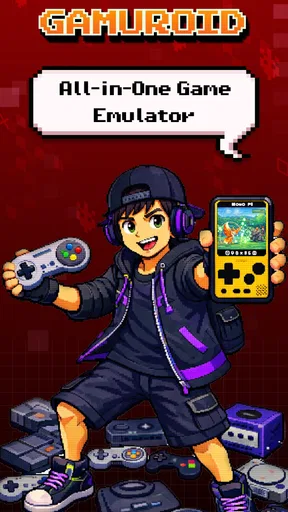
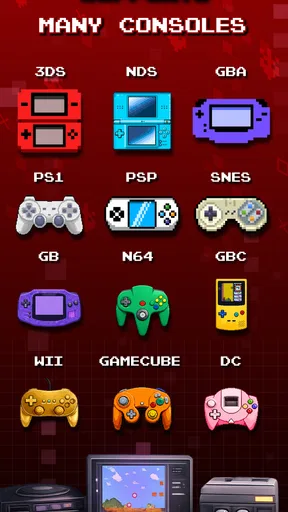
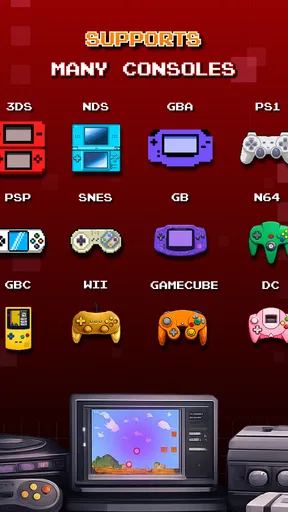
Imagine having a single app that can emulate games from multiple classic consoles. That's the magic of Gamuroid: All Game Emulator. It lets you play games from systems like NES, SNES, Sega Genesis, and more, right on your smartphone. Pretty cool, right?
The installation process is a breeze. Just download the app, and you're ready to dive into a vast ocean of nostalgia. The user interface is intuitive, so you won't feel like you're trying to crack the Da Vinci Code just to get started.
Getting Started with Gamuroid
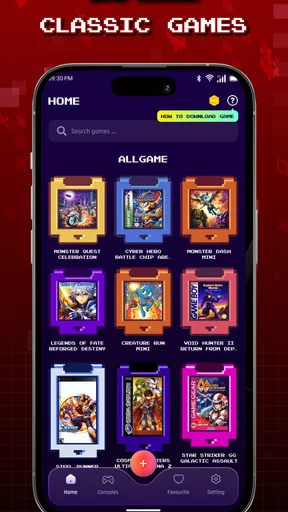
Once you open the app, you'll find a neat, organized library where you can add your game ROMs. Now, if you're new to emulators, ROMs are essentially digital copies of games that you load into the emulator. The app is designed to easily recognize these files, making the setup process straightforward.
One thing I loved about Gamuroid is its flexibility. Whether you're a fan of classic platformers or old-school RPGs, this app has got you covered. Plus, it supports a wide range of file types, so compatibility won't be a headache.
Gameplay Experience
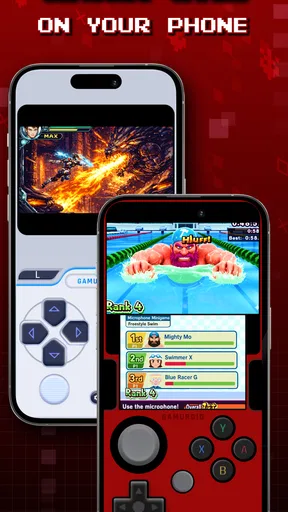
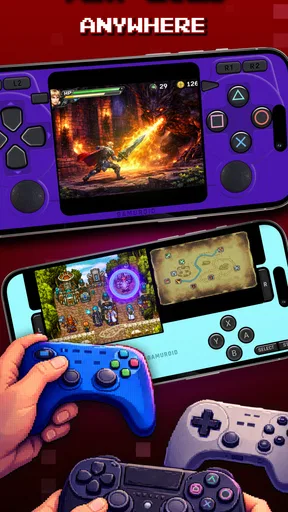
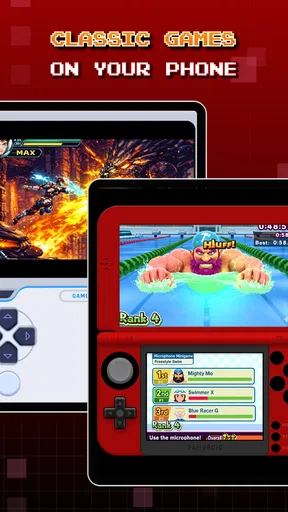
Now, let's talk about the gameplay. The emulation quality is top-notch. I tried a bunch of games, and the graphics were crisp, and the gameplay smooth. The controls are customizable, which is a huge plus. You can adjust the on-screen buttons to suit your preference or even connect a Bluetooth controller for that authentic gaming feel.
The app also supports save states. This means you can save your game at any point and pick up exactly where you left off. No more losing progress because you had to answer a call or, heaven forbid, your battery died mid-game.
Performance and Features
In terms of performance, Gamuroid runs like a dream. It's optimized for both Android and iOS, ensuring a smooth experience across devices. The app doesn't hog your phone's resources, so you won't have to deal with annoying lag or crashes.
Another highlight is the cheat code support. If you're like me and sometimes need a little help getting through those notoriously tough levels, you'll appreciate this feature. Just enter your cheats, and you're good to go!
Why Gamuroid Stands Out
What sets Gamuroid apart is its commitment to user experience. It's not just about playing games; it's about recreating the joy and magic of those classic titles. The app is regularly updated, and the community is active, providing tips and support whenever you need it.
Gamuroid: All Game Emulator also respects the original hardware limitations, so the games feel authentic. It's like having a mini retro arcade in your pocket!
Final Thoughts
In a world where modern gaming can sometimes feel overwhelming, Gamuroid offers a refreshing escape. It's a gateway to simpler times, where gameplay and story took center stage.
For anyone looking to relive their childhood or explore the classics they've heard so much about, Gamuroid is a must-try. It's fun, easy to use, and brings a huge library of timeless games right to your fingertips.
So, if you're ready to embark on a nostalgic journey, give Gamuroid a shot. Trust me, your inner child will thank you!
Pros
- Supports a wide range of classic games.
- User-friendly interface for easy navigation.
- Customizable controls enhance gameplay.
- Frequent updates improve app stability.
- Offline play available for most games.
Cons
- Occasional performance lag on older devices.
- Limited support for some rare game formats.
- Ads can be intrusive during gameplay.
- No cloud save feature for game progress.
- Requires manual setup for optimal performance.
FAQs for Gamuroid: All Game Emulator
What is Gamuroid: All Game Emulator?
Gamuroid: All Game Emulator is a versatile application designed to emulate a wide range of gaming consoles on your Android or iOS device. It supports numerous gaming platforms, allowing users to play classic and modern games directly on their mobile devices without the need for the original hardware.
Is Gamuroid compatible with my device?
Gamuroid is compatible with most modern Android and iOS devices. However, performance may vary depending on your device’s specifications. It requires a decent amount of RAM and a capable processor to run games smoothly. It's recommended to check the app’s requirements on the download page before installing.
How do I load games onto Gamuroid?
To load games onto Gamuroid, you'll need ROM files of the games you wish to play. These files can be downloaded from various sources online. Once you have the ROMs, you can easily load them into the app through its user-friendly interface. Note that downloading ROMs may be subject to legal restrictions in some regions.
Are there any in-app purchases or ads in Gamuroid?
Gamuroid offers both free and premium versions. The free version may contain ads, while the premium version provides an ad-free experience with additional features. In-app purchases are available for unlocking advanced functionalities and enhancing your gaming experience.
Is it legal to use Gamuroid and download ROMs?
Using an emulator like Gamuroid is legal, but the legality of downloading ROMs varies by country. It's important to own a physical copy of the game if you download a ROM. Always ensure you comply with your local laws regarding game emulation and ROM usage.


